

Since RSS (real simple syndication) feeds have been coming back into vogue again (they were a very popular method of aggregating content from many different sites when written blogs were a huge part of the earlier social media fabric in the late 90’s through mid 2000’s), this feed has been re-enabled (it was disabled after shifting to a gaming focused blog when the original sites were hosted on Blogger). The feed here is configured for the 10 most recent blog entries (which is more than enough since the posting here is low volume).
Most web browsers will just display the raw XML feed when loading the feed URL. I highly recommend a privacy focused browser like Vivaldi (which has a built-in RSS reader) or installing the Feedbro browser extension which is supported by most major browsers (Safari has other free and paid RSS reader extensions in the App Store for iPhone, iPad, and Mac). As for Feedbro, RSS feeds are managed from inside this extension by opening it and using the “Find feeds in the current tab”.
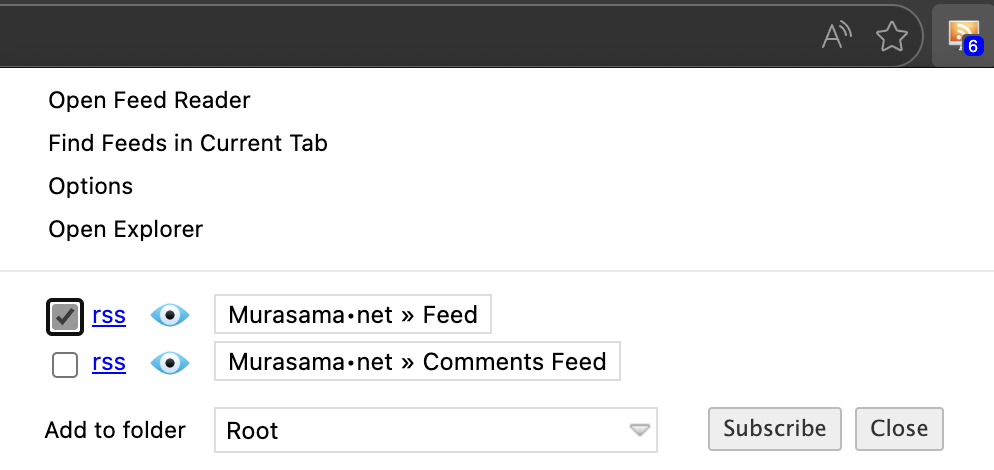
It should see two feeds from the main site page; only the “Feed” one is relevant since the “Comments Feed” will be only internal ping/trackbacks (comments were long disabled due to spam bots). Subscribing acts like your standard follow on most social media platforms. The biggest difference is no algorithms involved (which is why these old school setups are coming back into style again).
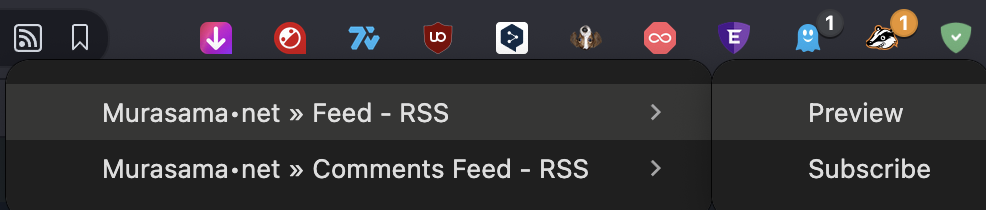
As mentioned earlier, Vivaldi has its own internal RSS reader (it will display the RSS icon in the URL bar if it detects a feed).

Clicking on it will similarly display the available feeds that are available (again, only the one named “Feed” is relevant)
I still recommend installing Feedbro if using Vivaldi because it has a lot more options including being able to set rules for notifications, using its reader to view articles, marking articles as read, etc. Note that this is my own unsolicited recommendation (since as noted in the disclaimer, I do not do sponsorships).